ResortDesk: Resort & Homestay Booking Software for India
Online booking, UPI payments, GST booking vouchers and the kitchen's day sheet, in one simple app your front desk can run from a phone. Live at The Frozen Garden Village Resort.
Everything a Resort Front Desk Needs
Built with a working village resort in West Bengal, around how Indian resorts actually run: day outings and night stays, group bookings, veg and non-veg meals, UPI and GST.
Online Booking & Instant Quotes
Guests pick a day outing or night stay, the party, rooms and extras, and see the GST-inclusive total, advance and balance before booking.
UPI, Cash & Bank Payments
A UPI QR with the amount filled in on every voucher. Cash, UPI and bank transfers are recorded with a receipt voucher; the same UTR can't be entered twice.
GST Vouchers & Tax Invoices
Booking vouchers with your logo and policies, and numbered GST tax invoices with CGST and SGST by rate. Download as PDF, print or share on WhatsApp.
Multi-Night Stays
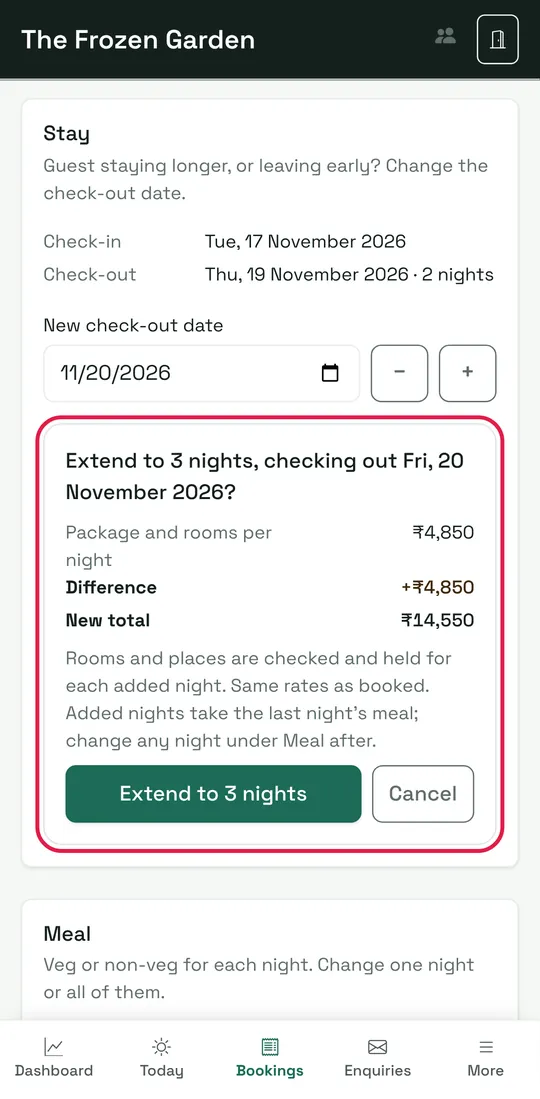
Check-in and check-out dates, 1 to 14 nights. Extend or shorten a stay later; rooms are checked and held for every new night, so nothing is double-booked.
Veg or Non-Veg by Night
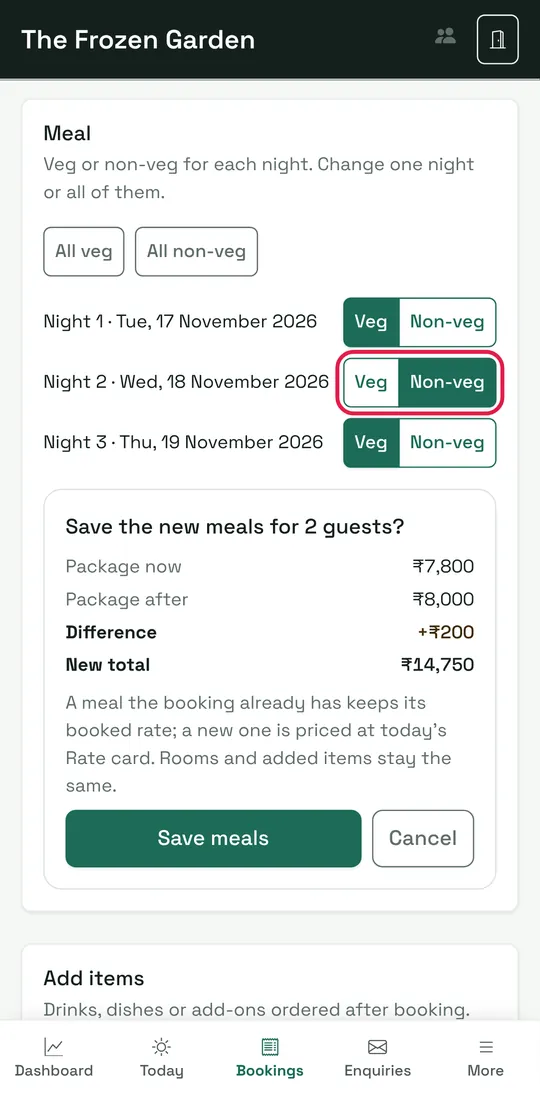
Each night can be veg or non-veg. Change one night or all of them; the price difference is shown before saving.
Extras by Day
Add cold drinks, seasonal dishes or a music system for a particular day, at the rate-card price with GST. A wrong item comes off with one tap.
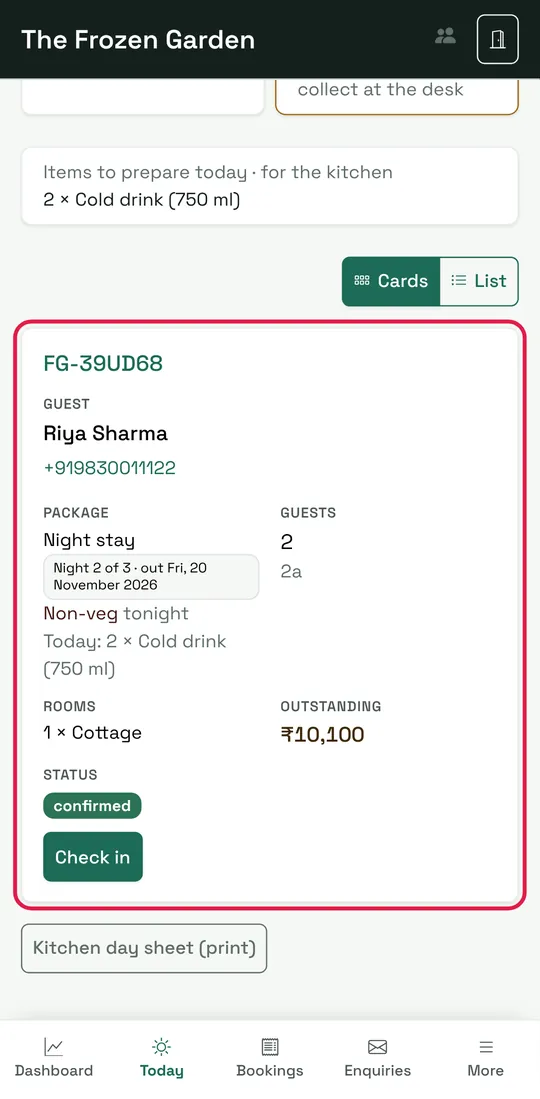
Today Screen & Kitchen Sheet
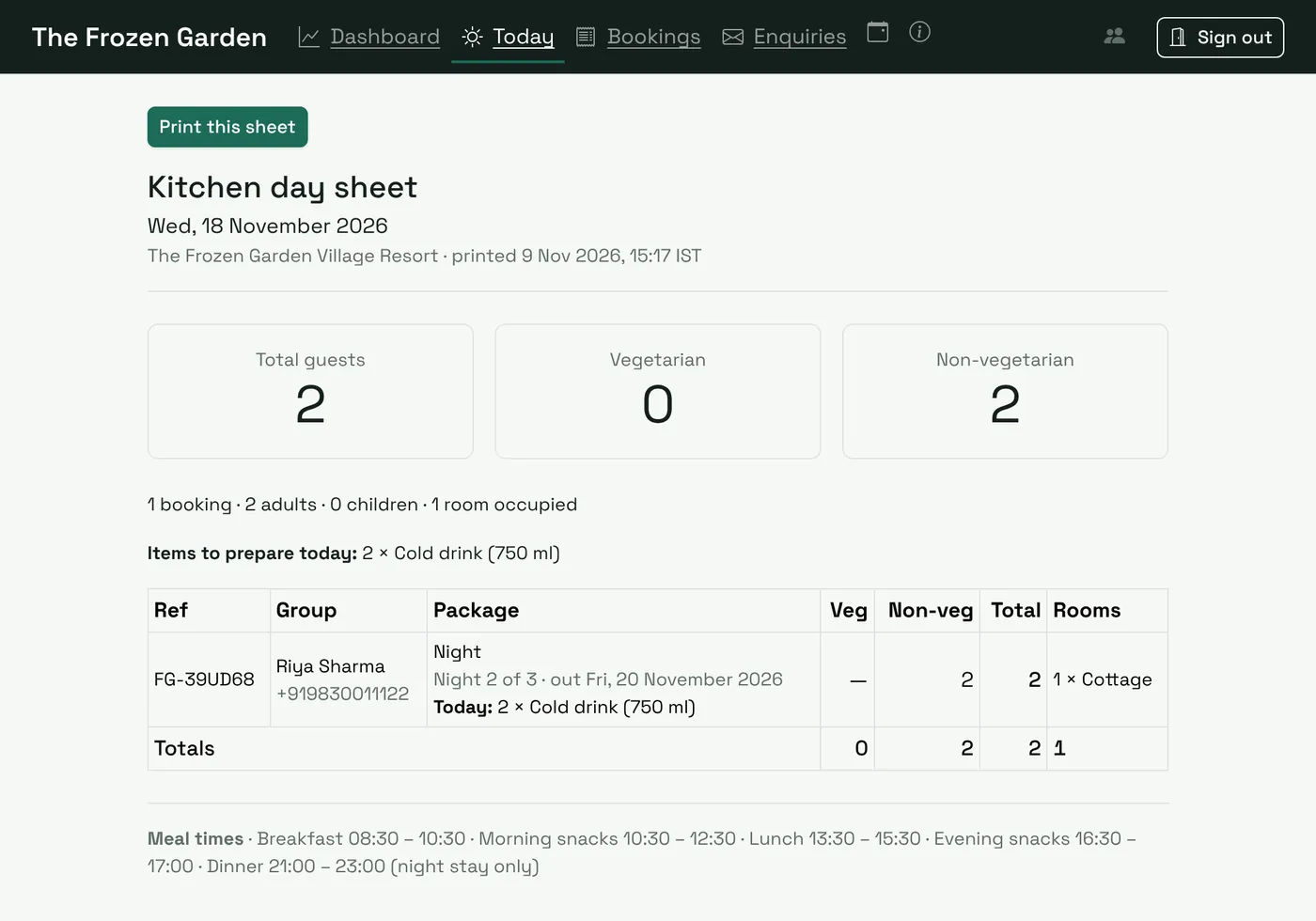
Who arrives, who's in house, each guest's meal tonight and money to collect. A printable kitchen sheet with veg and non-veg counts and items to prepare.
Owner Dashboard
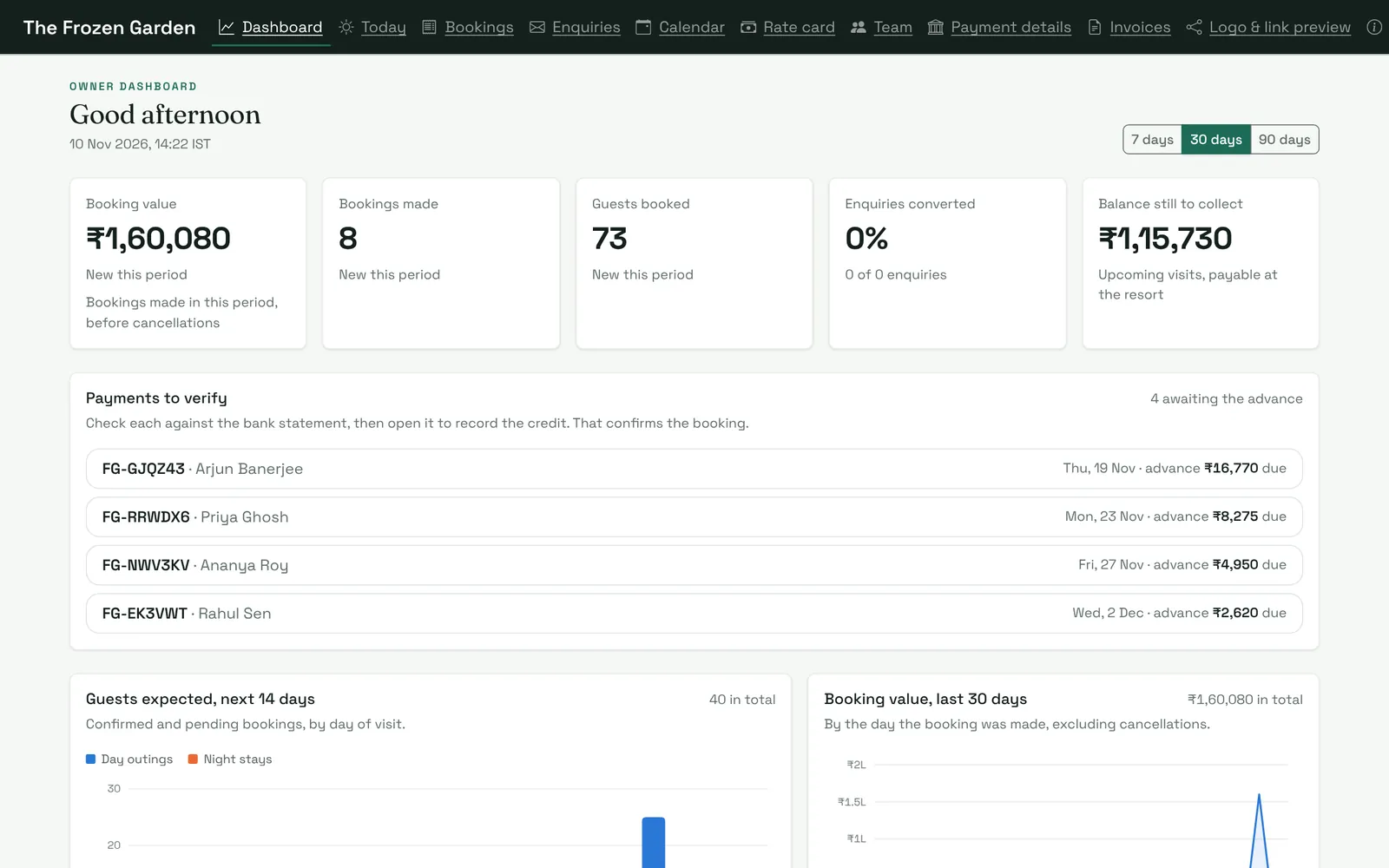
Booking value, guests expected, payments to verify and the balance to collect, with 7, 30 and 90-day views.
Staff Roles & Activity Log
Reception, Manager, Owner and Super Admin each see only what they should. Every change is logged with who made it and when.
Real Screens, Built for Phones First
Screenshots from ResortDesk with sample bookings. Staff use it on a phone at the desk or a computer in the office; guests book from any phone.
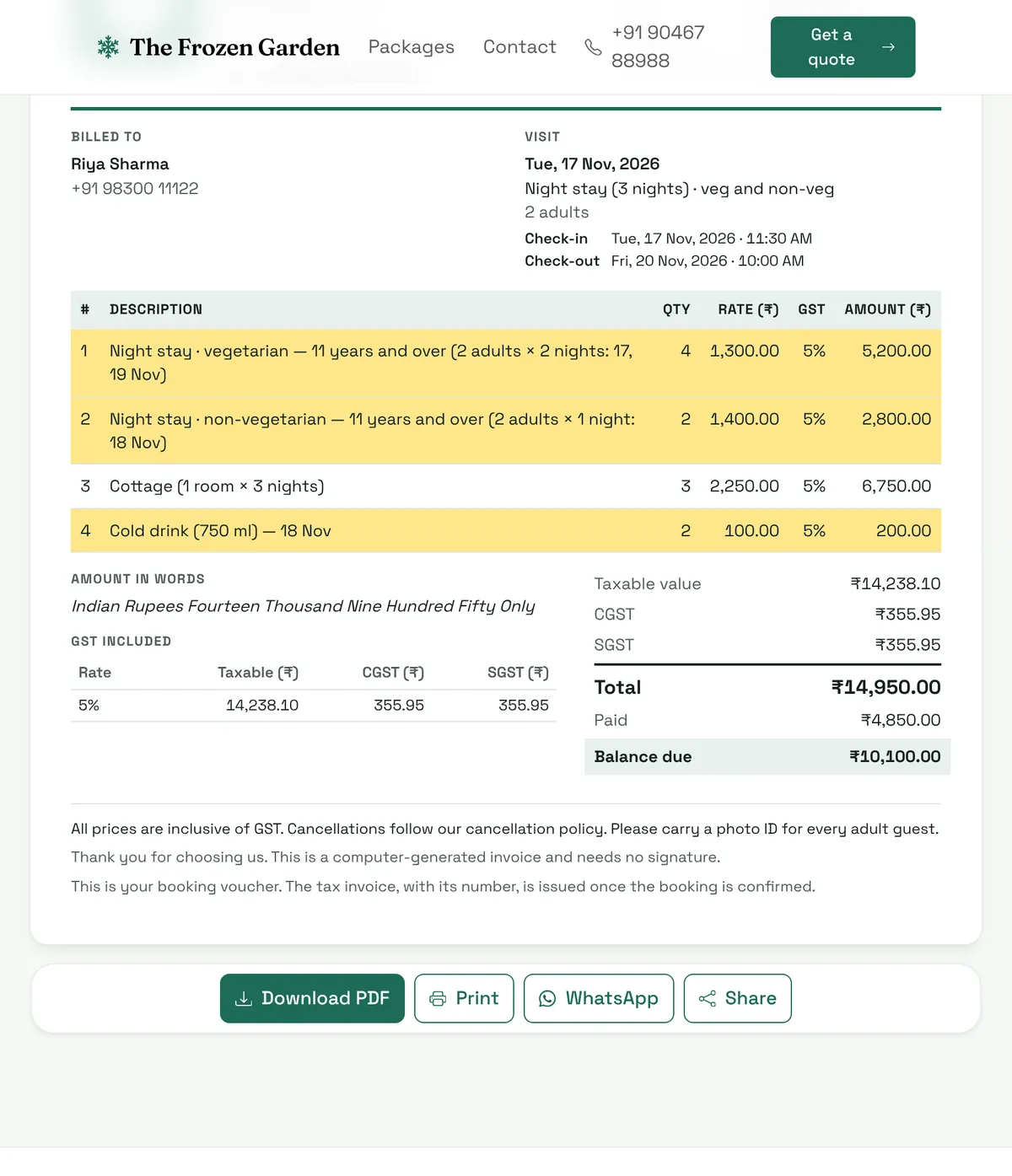
GST booking voucher with dates on every line
Meals show the nights they're for ("2 adults × 1 night: 18 Nov"), extras show their day, and GST is split into CGST and SGST. Guests pay exactly what they were quoted.
- Invoice and receipt numbers in the right financial-year series
- Your logo, policies and UPI QR on every voucher
- PDF, print or WhatsApp in one tap
Guests change their minds. So can the booking.
Switch a night to non-veg, extend the stay, or add drinks for tomorrow. ResortDesk shows the difference and the new total before anything is saved, and the voucher and kitchen sheet update straight away.
- Booked rates are kept; a new meal uses today's rate card
- Rooms are checked for each added night
- Nothing changes after the tax invoice is issued
The kitchen always knows what to cook
The Today screen and the printable kitchen day sheet count veg and non-veg by each guest's meal for that date, and add up every item ordered for the day.
- "Night 2 of 3" so long stays are never missed
- Check in, verify ID and collect the balance at the desk
- Calendar to close dates and set capacity
Guests book from their phone in minutes
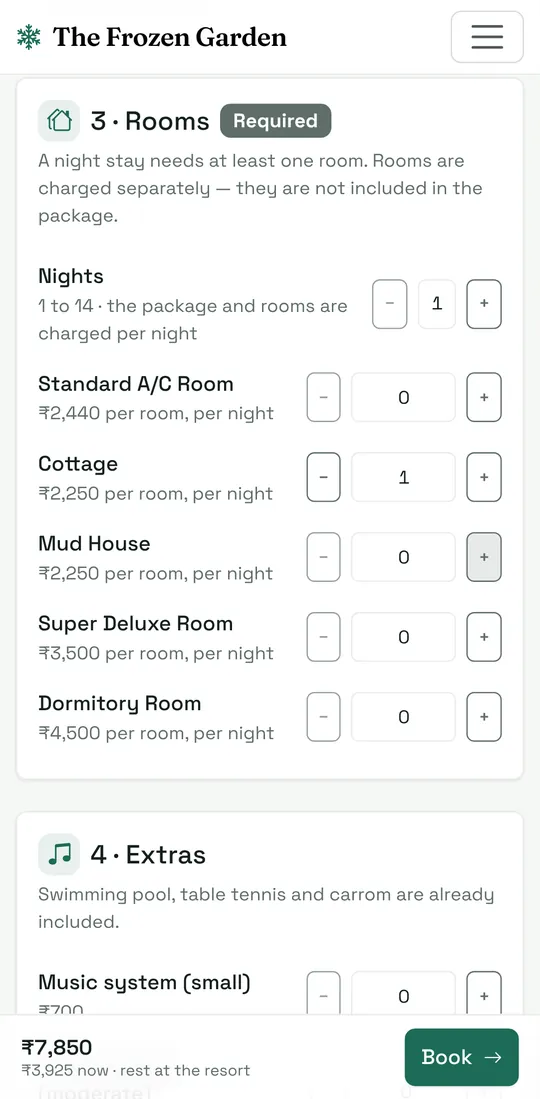
A clean quote and booking page on your own address, with live availability, the advance to pay and your cancellation policy. Your website can show the same live prices and send enquiries straight to the staff screen.
- Adult, child and free under-6 rates
- Rooms per night, extras once
- Guests get their own booking page with the voucher
The Frozen Garden Village Resort
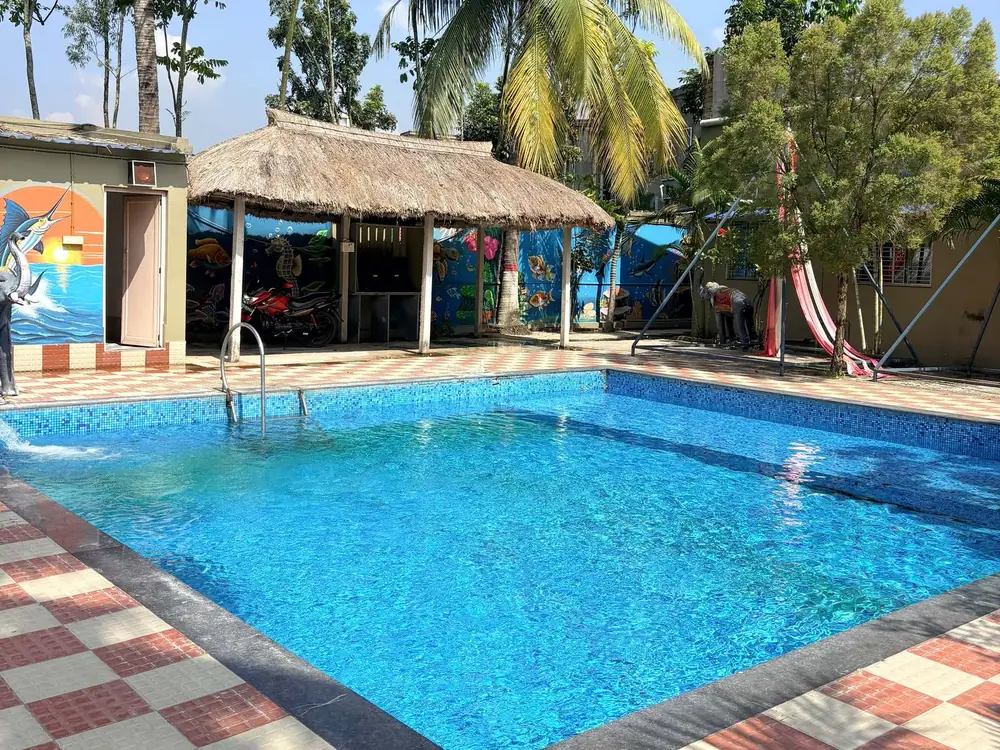
A village resort in South 24 Parganas, West Bengal, with cottages, mud houses, A/C rooms and a dormitory, popular for day outings, family stays and corporate groups.
ResortDesk runs their online booking at book.thefrozengarden.in and their front desk: phone and WhatsApp bookings, cash and UPI payments, GST vouchers, multi-night stays, meals by night and the kitchen's day sheet. Their website shows live prices and sends enquiries straight to the staff screen.
Live in About a Week
We set everything up with you, so your team starts with your own rooms, prices and policies on day one.
Book a Free DemoFree Demo Call
A 20-minute walkthrough on WhatsApp video or Google Meet, using your own room types and prices.
We Set It Up
Rate card, rooms, meals, policies, logo, GST and UPI details, your booking address and staff accounts.
Train the Team
A short session and a step-by-step guide with screenshots for reception, managers and owners.
Go Live
Share your booking link on WhatsApp, Google Business Profile and your website, and take bookings the same day.
Simple Monthly Plans
Per property, per month, plus 18% GST. Pay yearly and get 2 months free. Hosting, SSL and updates are always included.
Starter
Day-outing spots and small stays, up to 10 rooms
₹2,499/month
₹2,949 with GST
- Online booking and quotes
- UPI QR, cash and bank payments
- GST booking vouchers and tax invoices
- Today screen and kitchen day sheet
- 3 staff logins
- Email support, 2 working days
Standard
Most popularResorts with 10 to 30 rooms
₹4,499/month
₹5,309 with GST
- Everything in Starter
- Multi-night stays and meals by night
- Items and add-ons by day
- Website sync: live prices and enquiries
- Your logo and colours
- 8 staff logins
- WhatsApp support, next working day
Premium
30+ rooms, groups and corporate
₹7,999/month
₹9,439 with GST
- Everything in Standard
- Online card payments (Razorpay), coming soon
- Booking site on your own domain
- Unlimited staff logins
- Priority WhatsApp support, same day
| Also included or available | Price |
|---|---|
| One-time setup and training | ₹7,500 to ₹15,000 |
| Yearly plan | 12 months for the price of 10 |
| Larger properties (per room) | ₹150 per room per month, minimum ₹2,499 |
| Hosting, SSL and security updates | Included |
| Card payment fees (Razorpay, coming soon) | Paid by the resort to Razorpay |
Questions Resort Owners Ask
Quick answers for resort, homestay and farm-stay owners considering ResortDesk.
Other Software by Anupam
See ResortDesk With Your Own Rooms and Prices
A free 20-minute demo on WhatsApp video or Google Meet. No obligation.