Meta Image Generator a Free Chrome Extension
Check meta image availability and generate professional OG/social preview images with downloadable links in PNG, JPEG, and WebP.
File created: • Last modified:

Check meta image availability and generate professional OG/social preview images with downloadable links in PNG, JPEG, and WebP.
File created: • Last modified:
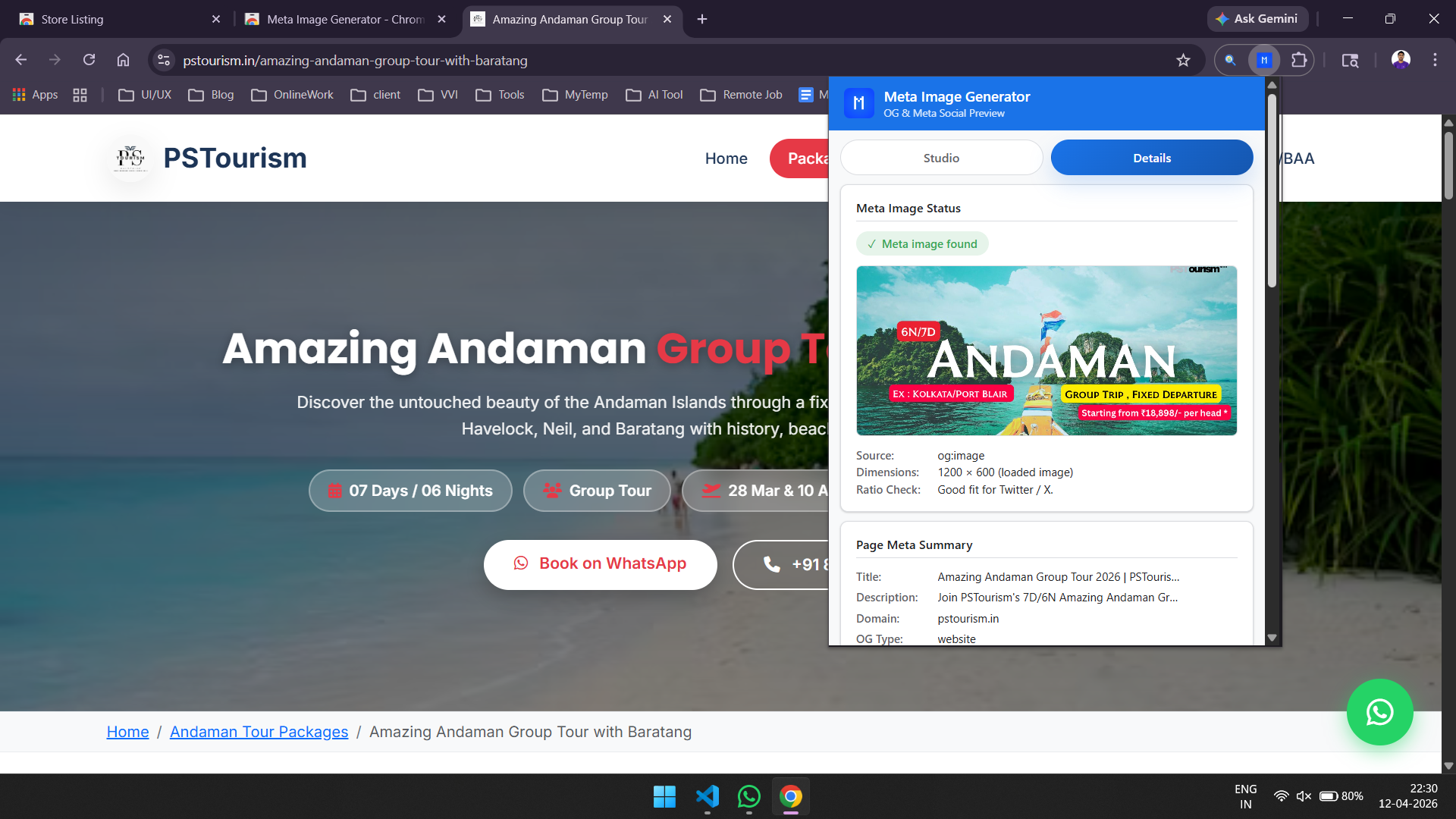
Detect og:image and twitter:image tags with live image preview, source URL visibility, and dimension context.
Validate OG, Twitter/X, Facebook, and LinkedIn tag completeness with size checks against recommended formats.
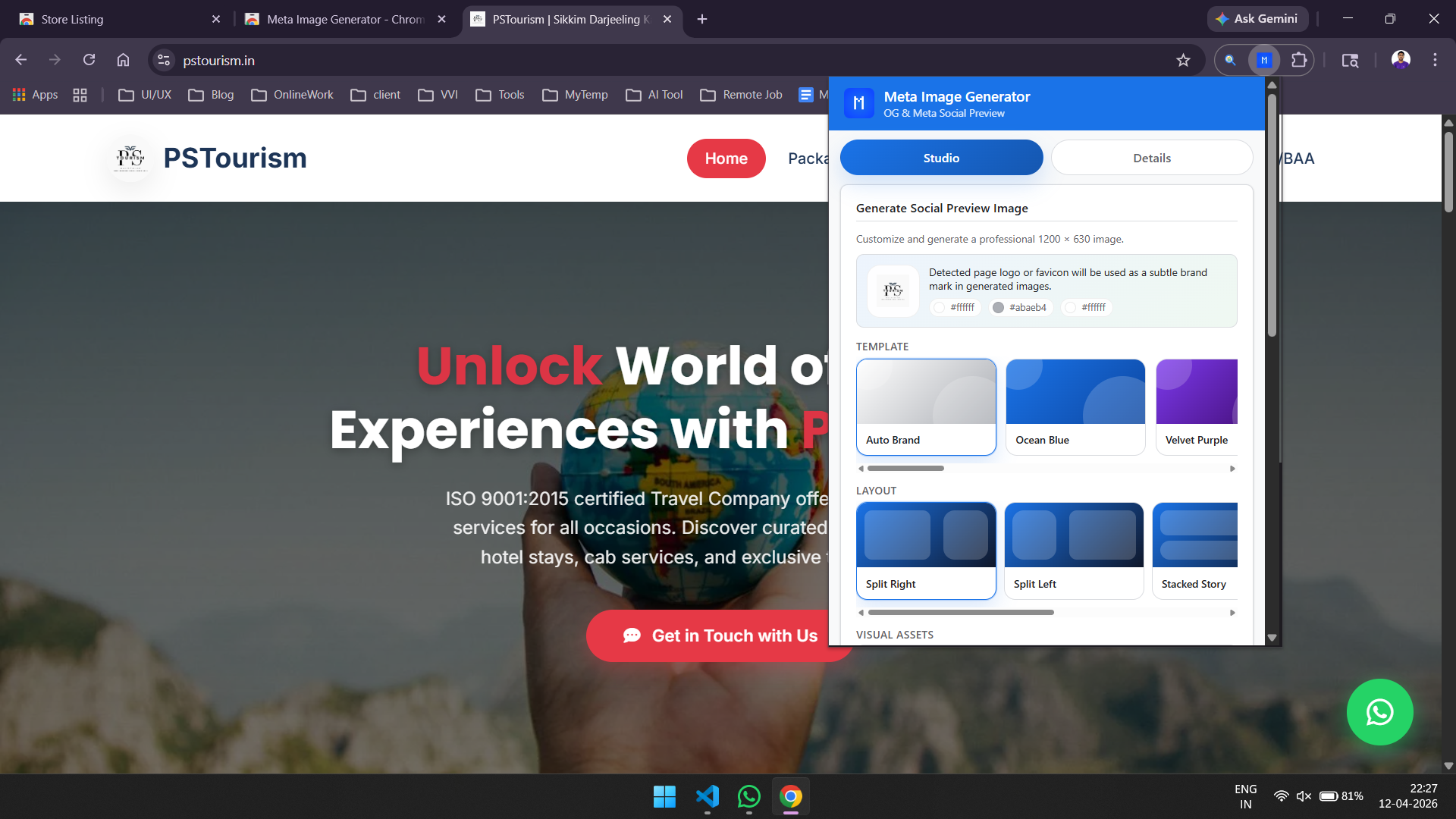
Generate social preview graphics with 12 templates and export as PNG, JPEG, or WebP in one click.
Instantly checks active pages for og:image and twitter:image tags with preview, source, and dimensions.
Surfaces title, description, domain, OG type, and Twitter card data to streamline social optimization.
Audits OG/Meta, Twitter/X, Facebook, and LinkedIn tag presence with image-ratio quality checks.
Auto-builds branded templates from page colors, favicon/logo hints, and extracted metadata.
Use text-only mode, page meta image, detected brand image, or custom direct image URLs.
Generate 1200x630 visuals with character guards, gradient overlays, and 5 social resolution presets.
Quick links for Unsplash, Pexels, Pixabay, Getty Images, and Freepik to speed up visual selection.
Export generated preview images as PNG, JPEG, or WebP with one-click output links.
Open any webpage, launch the extension, inspect tags instantly, then generate and download optimized assets.
Analysis runs in your browser context and permissions are used for on-page metadata auditing and generation features.
 Open Web Store
chrome://extensions/ and enable Developer mode.manifest.json.og:title, og:description, og:image, og:url, og:site_name, og:type
twitter:card, twitter:title, twitter:description, twitter:image, twitter:site
title, meta name="description", and canonical link tags
1200 x 630
1200 x 628
1024 x 512
800 x 418
600 x 314
According to the Chrome Web Store listing, the extension discloses handling of the following categories: personally identifiable information, health information, financial and payment information, authentication information, personal communications, location, web history, user activity, and website content. Refer to the published privacy policy for complete details.
License: MIT
Reach out via WhatsApp or open an issue on GitHub. I would love your feedback.
Contact on WhatsApp Open GitHub Issue